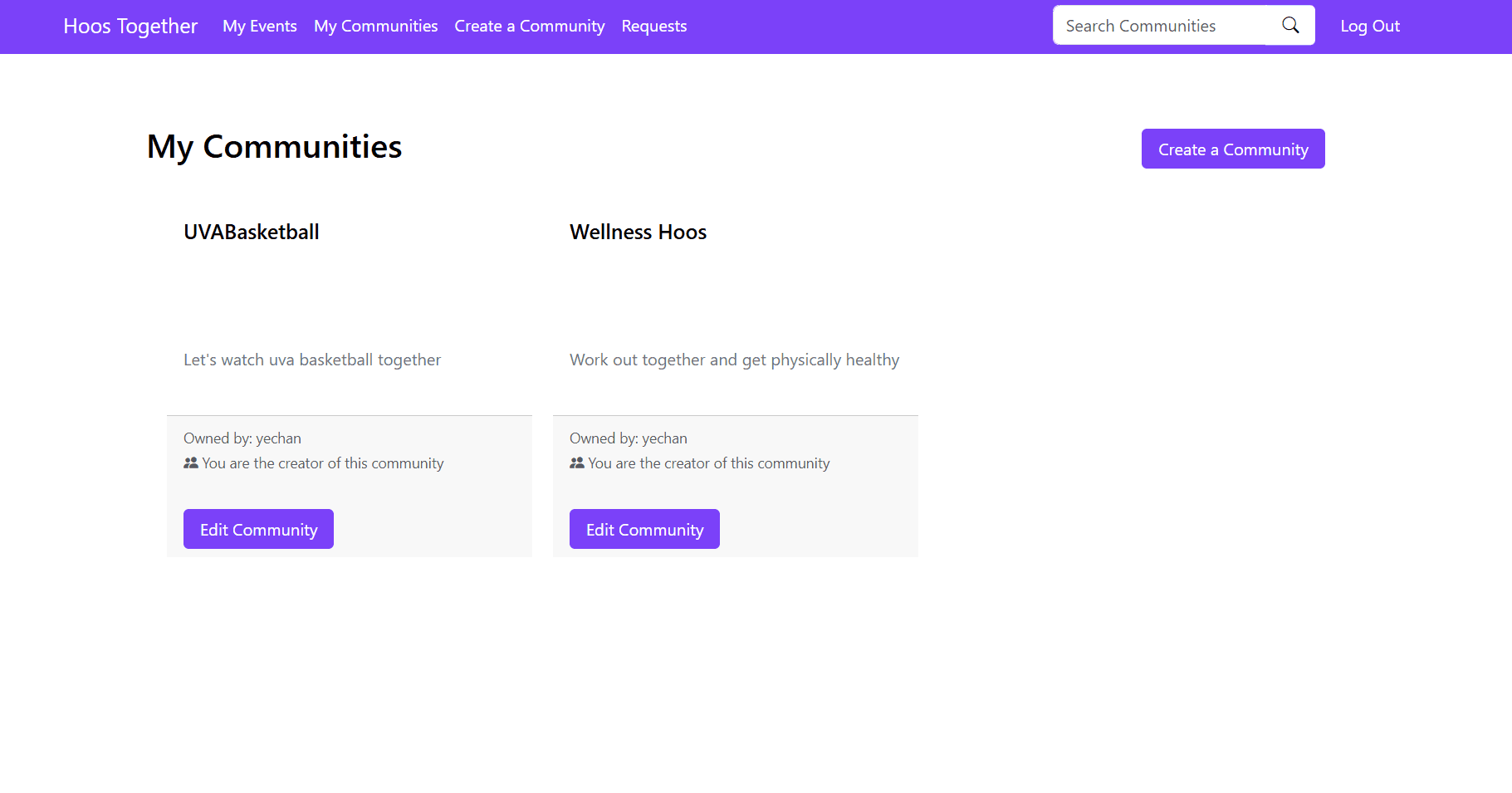
Why I built this
Every UVA student knows the pain. You're in five clubs, each one runs on a different GroupMe thread, event details get buried in chat, and someone inevitably creates a poll just to figure out who's coming to the next meeting. There's no central place to see your events, no clean way to RSVP, and no organization beyond whatever the group chat provides.
I wanted to fix that. When my Advanced Software Development class gave us the freedom to build any web application, I pitched the idea of a community platform built specifically for UVA clubs and organizations — one place where you can create communities, plan events, track RSVPs, share files, and chat with members without the chaos of group messaging apps.
What it does
Hoos Together lets UVA students create and join interest-based communities. Each community is its own hub with members, a description, tags, upcoming and past events, shared files, and a built-in chat. You can create events with a location, date, description, and type, and members can RSVP directly. File sharing is built in so meeting notes, flyers, and documents live alongside the community they belong to — not lost in someone's Google Drive.
Authentication runs through Google OAuth, so anyone can sign in with one click using their gmail account.
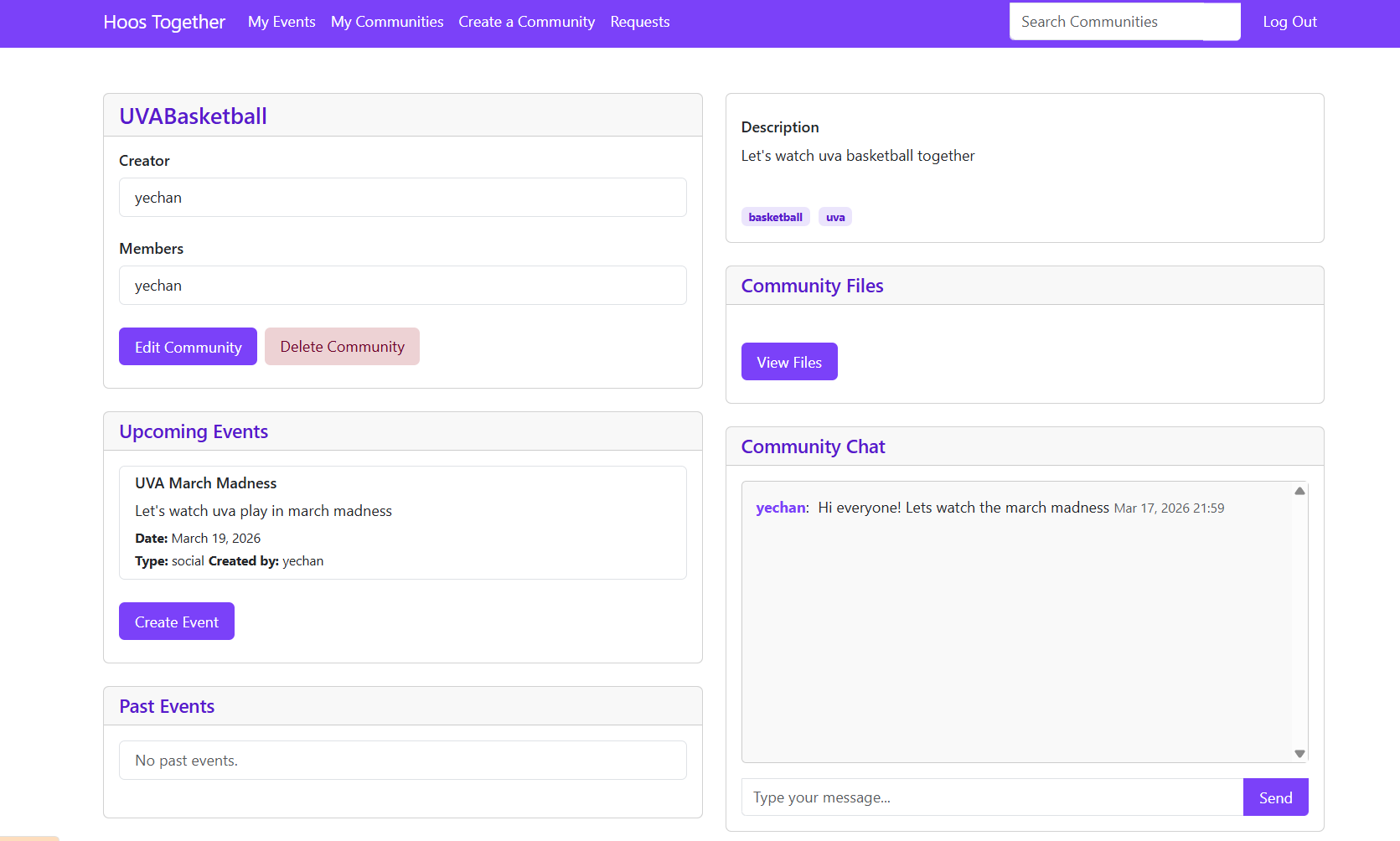
Community detail page showing members, events, files, and chat
How we built it
This was a team of four. We used Django as the backend framework with PostgreSQL for the database, hosted on Heroku. The frontend is server-rendered HTML, CSS, and JavaScript — no React or heavy framework, just clean Django templates. Google OAuth handles authentication through django-allauth, and file uploads go to AWS S3 via django-storages.
We set up GitHub Actions for CI/CD so every push ran tests before deploying. The project is structured as multiple Django apps — landing pages, user auth, and event planning each live in their own module, which kept the codebase organized as it grew.
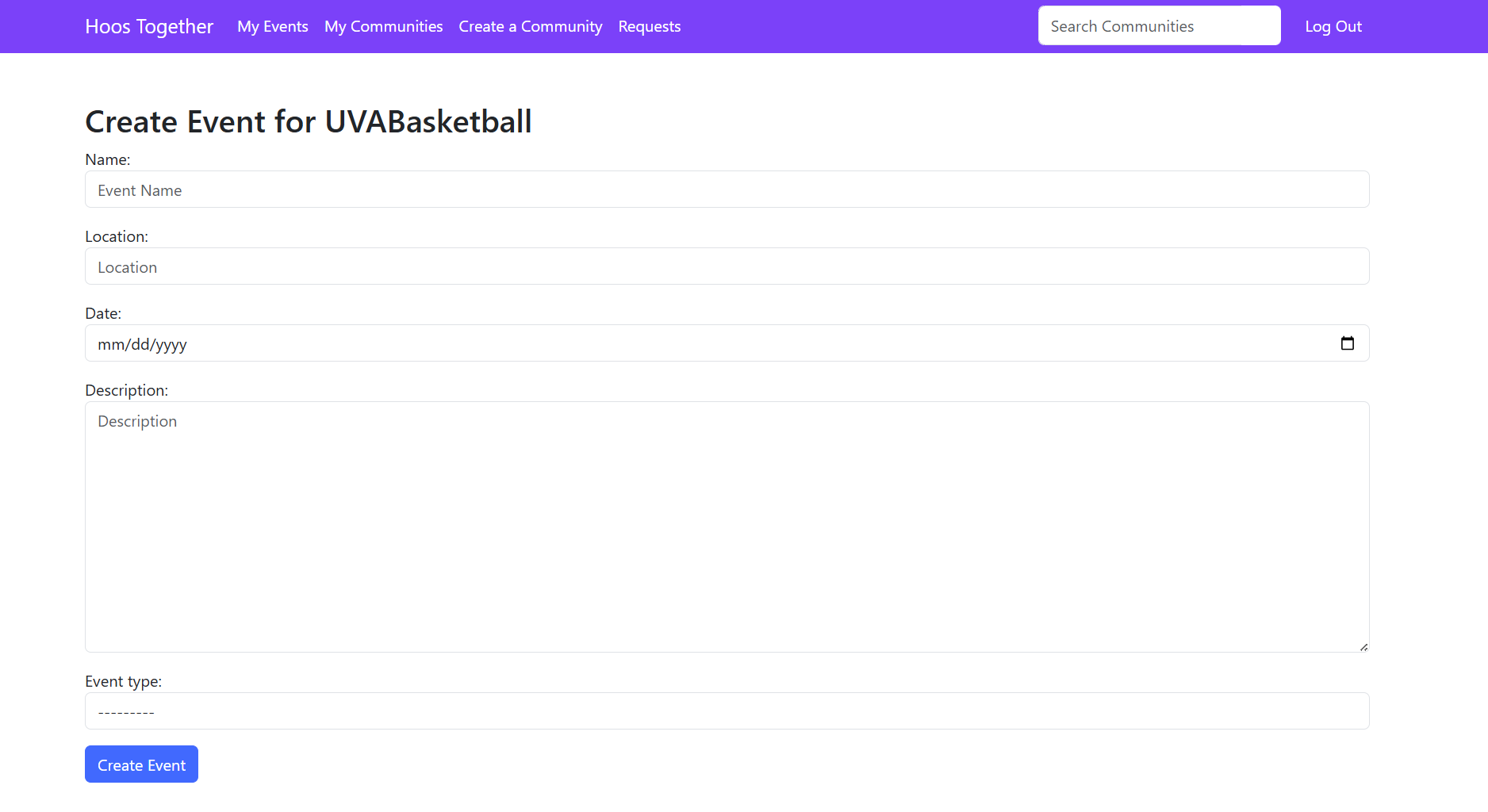
Event creation form with name, location, date, and type fields
What I learned
This was my first functional large scale web application, the first time I built something that connected to a real cloud database, handled real authentication, and could actually be used by real people. That shift from "code that runs locally" to "product that works in production" was a huge learning moment.
Working with a team of four also taught me how important clear architecture is from the start. When multiple people are building features in parallel, the way you structure your apps, your models, and your routes matters far more than when you're coding alone. We used Agile sprints to stay coordinated, and I learned quickly that communication is just as important as code quality.
This project was also where I learned to manage Git properly in a team setting — creating feature branches, writing pull requests, reviewing each other's code, and merging without breaking things when four people are pushing changes at the same time. It sounds basic, but working through real merge conflicts and establishing a branching workflow taught me more about collaborative development than any tutorial could.